
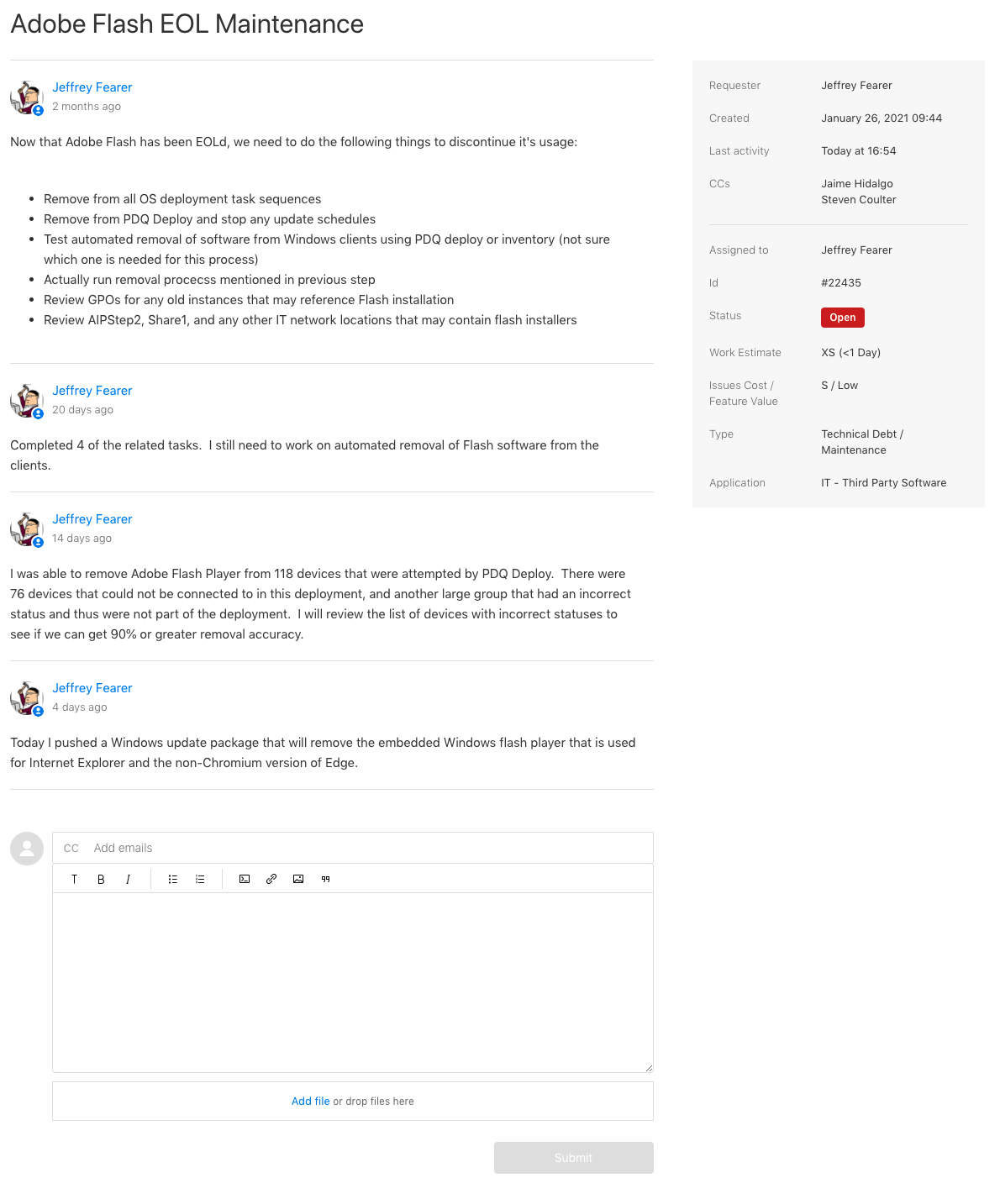
When a ticket is selected from either the "My Requests" or "Organization Requests" tables, you will see some further information about the ticket.
The left pane will show all comments from either users or IT staff.
The right pane will show some various details about the ticket, including when it was created, who it is assigned to, and the work estimate provided by the IT department.
If you are the creator or a follower of the ticket, you will be presented with a section at the bottom to add additional comments or attachments to the ticket.
Comments
0 comments
Article is closed for comments.